对图片和视频进行解密的示例 blob:https://
思路:制作一个播放器,可以选择本地加密文件,需要通过播放器页面输入正确的密钥,将本地文件解密并转成blob地址后,
再进行播放,起到加解密的作用
URL.createObjectURL(file);
Demo:
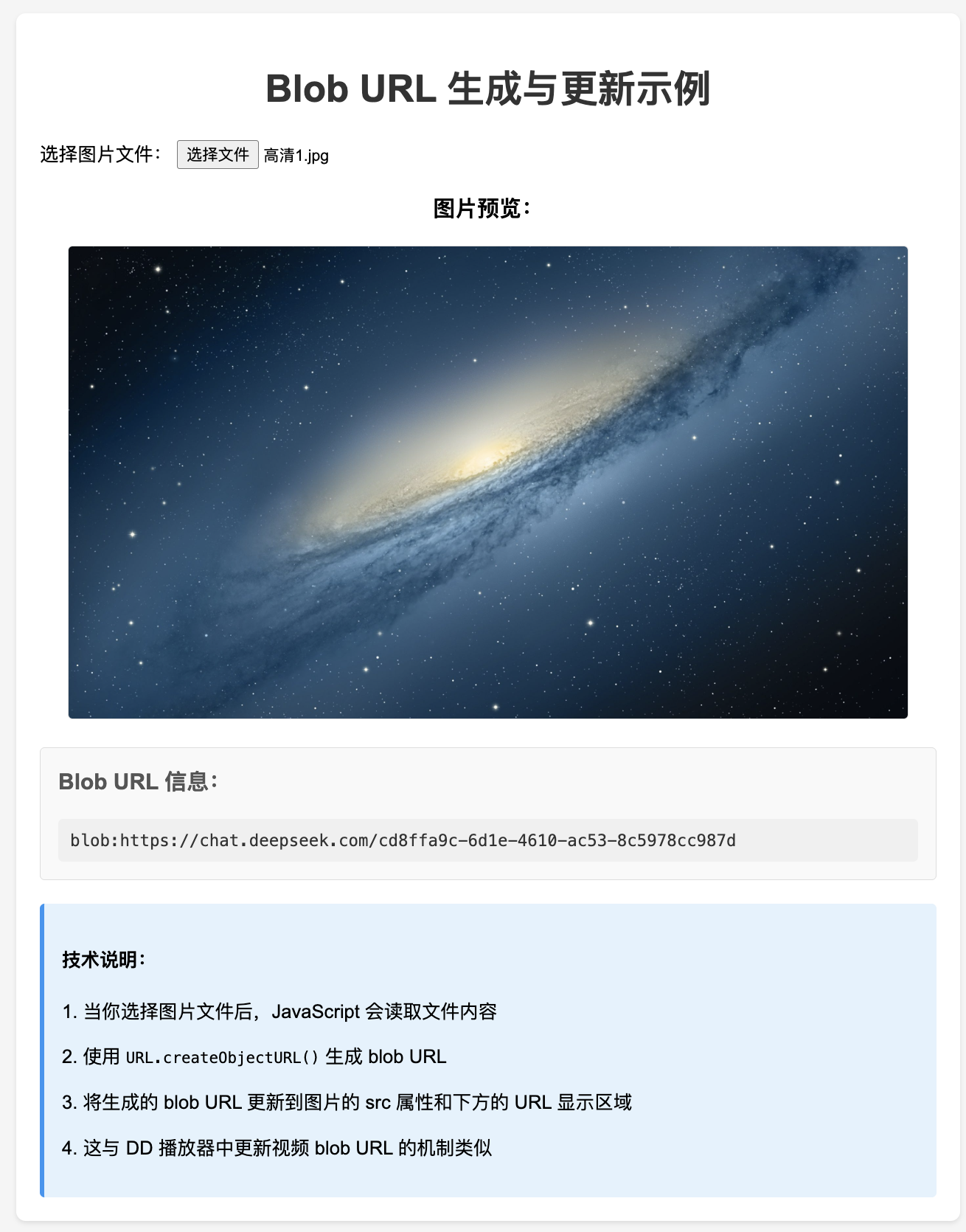
<!DOCTYPE html>
<html>

<head>
    <meta charset="UTF-8">
    <meta name="viewport" content="width=device-width, initial-scale=1.0">
    <title>Blob URL 示例</title>
    <style>
        body {
            font-family: Arial, sans-serif;
            max-width: 800px;
            margin: 0 auto;
            padding: 20px;
            background-color: #f5f5f5;
        }

        .container {
            background-color: white;
            padding: 20px;
            border-radius: 8px;
            box-shadow: 0 2px 4px rgba(0, 0, 0, 0.1);
        }

        h1 {
            color: #333;
            text-align: center;
        }

        .file-input {
            margin: 20px 0;
        }

        .image-container {
            margin: 20px 0;
            text-align: center;
        }

        #previewImage {
            max-width: 100%;
            max-height: 400px;
            border: 1px solid #ddd;
            border-radius: 4px;
        }

        .url-info {
            margin: 20px 0;
            padding: 15px;
            background-color: #f9f9f9;
            border: 1px solid #ddd;
            border-radius: 4px;
        }

        .url-info h3 {
            margin-top: 0;
            color: #555;
        }

        #blobUrlDisplay {
            word-break: break-all;
            font-family: monospace;
            font-size: 14px;
            color: #333;
            background-color: #f0f0f0;
            padding: 10px;
            border-radius: 4px;
        }

        .info {
            margin-top: 20px;
            padding: 15px;
            background-color: #e3f2fd;
            border-left: 4px solid #2196f3;
            border-radius: 4px;
        }
    </style>
</head>

<body>
    <div>
        <h1>Blob URL 生成与更新示例</h1>

        <div>
            <label for="imageFile">选择图片文件:</label>
            <input type="file" id="imageFile" accept="image/*">
        </div>

        <div>
            <h3>图片预览:</h3>
            <img id="previewImage" src="" alt="预览图片">
        </div>

        <div>
            <h3>Blob URL 信息:</h3>
            <div id="blobUrlDisplay" data-image="src">请选择图片文件</div>
        </div>

        <div>
            <h4>技术说明:</h4>
            <p>1. 当你选择图片文件后,JavaScript 会读取文件内容</p>
            <p>2. 使用 <code>URL.createObjectURL()</code> 生成 blob URL</p>
            <p>3. 将生成的 blob URL 更新到图片的 src 属性和下方的 URL 显示区域</p>
            <p>4. 这与 DD 播放器中更新视频 blob URL 的机制类似</p>
        </div>
    </div>

    <script>
        /**
         * 初始化页面事件监听
         * 为文件选择输入框添加 change 事件监听器
         */
        function initEventListeners() {
            const fileInput = document.getElementById('imageFile');
            fileInput.addEventListener('change', handleFileSelect);
        }

        /**
         * 处理文件选择事件
         * @param {Event} event - 文件选择事件对象
         */
        function handleFileSelect(event) {
            const file = event.target.files[0];
            if (file) {
                processImageFile(file);
            }
        }

        /**
         * 处理图片文件,生成 blob URL 并更新 DOM
         * @param {File} file - 选择的图片文件
         */
        function processImageFile(file) {
            // 生成 blob URL
            const blobUrl = generateBlobUrl(file);

            // 更新图片预览
            updateImagePreview(blobUrl);

            // 更新 blob URL 显示
            updateBlobUrlDisplay(blobUrl);
        }

        /**
         * 生成文件的 blob URL
         * @param {File} file - 要生成 blob URL 的文件
         * @returns {string} 生成的 blob URL
         */
        function generateBlobUrl(file) {
            // 使用 URL.createObjectURL() 方法生成 blob URL
            return URL.createObjectURL(file);
        }

        /**
         * 更新图片预览
         * @param {string} blobUrl - 图片的 blob URL
         */
        function updateImagePreview(blobUrl) {
            const previewImage = document.getElementById('previewImage');
            previewImage.src = blobUrl;
        }

        /**
         * 更新 blob URL 显示
         * @param {string} blobUrl - 生成的 blob URL
         */
        function updateBlobUrlDisplay(blobUrl) {
            const urlDisplay = document.getElementById('blobUrlDisplay');
            urlDisplay.textContent = blobUrl;
        }

        // 页面加载完成后初始化
        window.addEventListener('DOMContentLoaded', initEventListeners);
    </script>
</body>

</html>